

Welcome to USA Senior Citizen, a trusted resource dedicated to helping older adults live healthier, happier, and more independent lives.
Our mission is to provide valuable information, practical tips, and helpful guidance for seniors and their families. We cover important topics including **senior health, retirement planning, senior living, caregiving, technology for seniors, and everyday lifestyle solutions**.
At USA Senior Citizen, we believe aging is not about slowing down — it is about embracing new opportunities, staying connected, and enjoying every stage of life. Our goal is to make life easier for seniors by sharing simple, reliable, and easy-to-understand information that supports better decisions and improved well-being.
Whether you are looking for advice on maintaining a healthy lifestyle, exploring retirement options, learning new technology skills, or finding ways to stay active and independent, USA Senior Citizen is here to guide you.
We are committed to creating a supportive online community where seniors can discover useful resources, gain confidence, and continue living life with dignity and purpose.
USA Senior Citizen — Empowering Seniors to Live Better Every Day.
Introduction
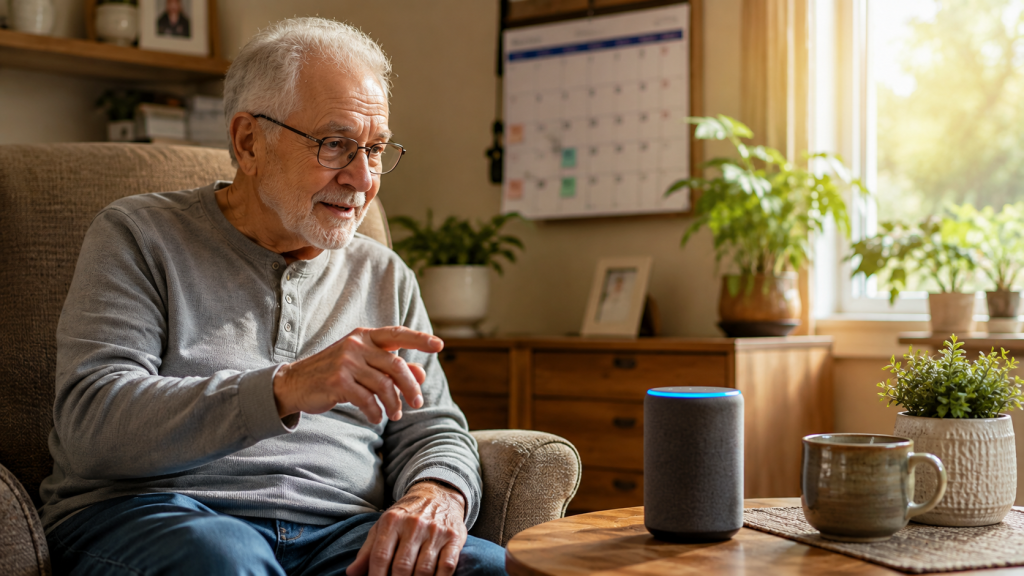
Technology does not need to feel confusing anymore. Today, smart devices make everyday life easier for people of every age. One of the best examples is Amazon Alexa. It helps with simple daily tasks using only your voice. You do not need to press many buttons or learn difficult settings. Just ask Alexa, and it responds in seconds.
This Alexa Cheat Sheet for Seniors is designed for beginners who want a simple guide. Whether you live alone or with family, Alexa can become a helpful companion. It reminds you about medicines, plays your favorite songs, answers questions, and even controls smart home devices. Many older adults enjoy using it because it saves time and reduces stress.
Families also appreciate how Alexa supports independent living. It makes communication easier and helps seniors stay connected with loved ones. With helpful features like reminders and hands-free calls, it adds comfort to daily routines.
In this guide, you will discover practical tips that are easy to follow. You will also learn useful Alexa Commands for Seniors, understand how Alexa Together works, and see why a Voice Assistant for Elderly users is becoming more popular every year. By the end, you will feel confident using Alexa every day.
Quick Answer
Alexa is Amazon’s voice assistant that listens to your spoken requests and performs many helpful tasks. Seniors can ask Alexa to set reminders, play music, check the weather, answer questions, make phone calls, control smart home devices, and create daily routines. It is easy to use because you only need to say “Alexa” before giving a command.
For older adults, Alexa offers convenience without requiring advanced technology skills. It supports independent living while making everyday activities easier. Families also use Alexa Together to stay informed and connected with aging parents. With the right setup, Alexa becomes a reliable Voice Assistant for Elderly users and an excellent daily companion.
What Is Alexa?
Alexa is a smart voice assistant created by Amazon. It works through devices like the Echo Dot and Echo Show. Instead of using a keyboard or touchscreen, you simply speak your request. Alexa listens, understands your words, and responds almost instantly.
Think of Alexa as a helpful assistant living inside a small speaker. It can answer questions, tell jokes, play music, read the news, or remind you about important events. It also connects with many smart home devices, allowing you to control lights, plugs, thermostats, and more without leaving your chair.
One reason many people enjoy Alexa is its simplicity. You do not need technical knowledge to start. After a quick setup, you only speak naturally. For example, you can say, “Alexa, what is today’s weather?” or “Alexa, remind me to take my medicine at 8 PM.”
This Alexa Cheat Sheet for Seniors focuses on practical everyday uses instead of advanced features. Learning a few commands is enough to make life easier. As you become comfortable, you can explore more features at your own pace.
Alexa continues to improve through regular updates. New skills and features appear often, making it even more useful for seniors and caregivers.

Why Seniors Love Alexa
Many seniors enjoy Alexa because it removes everyday frustrations. Simple tasks become easier when you can complete them using only your voice. There is no need to search through menus or remember complicated instructions.
Alexa also helps reduce feelings of loneliness. It responds politely, tells stories, plays favorite songs, and even starts conversations through fun questions and games. While it cannot replace family or friends, it creates enjoyable daily interactions that brighten the day.
Another reason seniors appreciate Alexa is its reliability. It remembers appointments, medication schedules, birthdays, and shopping lists. These reminders reduce stress and help people stay organized without writing everything down.
Families benefit as well. Features like Alexa Together allow loved ones to check in and support older family members from another location. This creates extra peace of mind without being intrusive.
A Voice Assistant for Elderly users should feel simple, helpful, and dependable. Alexa meets those expectations by offering hands-free assistance for everyday life. Whether someone has limited mobility, poor eyesight, or simply prefers speaking instead of typing, Alexa provides a comfortable solution.
As confidence grows, many seniors begin discovering new features that improve their routines even more. They often wonder how they managed daily tasks before using Alexa.
Benefits of Using Alexa
Alexa offers many practical benefits that make daily living more comfortable. One of the biggest advantages is convenience. Instead of walking across the room to switch off a light or check the weather, you simply ask Alexa.
Medication reminders are another valuable feature. Missing medicine can affect health, especially when multiple prescriptions are involved. Alexa can announce reminders every day at the exact time you choose.
Entertainment is always available. Alexa plays music from different decades, reads audiobooks, tells jokes, and provides news updates. These activities help make quiet moments more enjoyable.
Communication also becomes easier. Alexa allows voice calls between supported devices and contacts. Seniors can stay connected with family members without searching for a phone or dialing numbers.
Smart home control improves comfort and safety. Lights, smart plugs, doorbells, and thermostats can all respond to voice commands. This is especially useful for people with limited mobility.
Many caregivers recommend using Alexa Commands for Seniors because they simplify daily routines without creating extra work. Combined with Alexa Together, families can provide gentle support while respecting independence.
The greatest benefit is confidence. Alexa encourages seniors to handle everyday tasks more independently while staying informed, entertained, and connected.
First 5 Alexa Commands for Seniors
Learning a few simple commands makes Alexa much easier to use. These five commands are perfect for beginners and quickly become part of everyday life.
1. Alexa, remind me to take my medicine at 8 PM.
Medication reminders are among the most helpful Alexa features. They help seniors stay consistent with daily prescriptions. Once the reminder is set, Alexa announces it at the chosen time. This reduces the chance of forgetting an important dose and supports healthier daily habits.
2. Alexa, what is today’s weather?
Knowing the weather before leaving home helps with planning. Alexa shares the current temperature, rain forecast, wind conditions, and expected weather for the day. This makes it easier to choose suitable clothing and plan outdoor activities.
3. Alexa, call my daughter.
Hands-free calling is useful when reaching for a phone feels difficult. After contacts are added, Alexa can place voice calls using simple spoken requests. This feature keeps families connected while making communication fast and convenient.
4. Alexa, play my favorite music.
Music brings comfort and happy memories. Alexa can play songs from different decades, relaxing playlists, radio stations, or favorite artists. Listening to familiar music can improve mood and create a pleasant atmosphere throughout the day.
5. Alexa, turn off the living room lights.
When paired with smart lights, Alexa controls lighting without needing to walk across the room. This improves comfort while also reducing the risk of falls at night. Many seniors find this feature one of the most useful parts of having a smart home.
These beginner-friendly Alexa Commands for Seniors are easy to remember and practical for daily life. As confidence grows, you can explore more features and build routines that match your personal needs. This Alexa Cheat Sheet for Seniors is just the beginning of discovering how a smart voice assistant can make every day simpler, safer, and more enjoyable.
Alexa Cheat Sheet
Learning Alexa becomes much easier when you keep the most useful commands in one place. That is why this Alexa Cheat Sheet for Seniors focuses on everyday tasks instead of advanced features. You do not need to memorize dozens of commands. A few simple phrases can make a big difference in your daily life.
Try speaking naturally and clearly. Start every request with the word “Alexa.” Then say what you need. If Alexa does not understand, simply repeat your request using different words. Over time, you will discover which commands work best for your routine.
Here are some of the most useful commands to remember:
| Task | Alexa Command |
| Check the weather | Alexa, what’s the weather today? |
| Set a reminder | Alexa, remind me to take my medicine at 8 PM. |
| Set an alarm | Alexa, wake me up at 7 AM. |
| Play music | Alexa, play my favorite songs. |
| Ask a question | Alexa, how old is the Grand Canyon? |
| Call family | Alexa, call my son. |
| Add to shopping list | Alexa, add milk to my shopping list. |
| Turn off lights | Alexa, turn off the bedroom lights. |
| Read the news | Alexa, tell me today’s news. |
| Tell the time | Alexa, what time is it? |
Keep this list somewhere easy to see. Many seniors print it and place it near their Alexa device. After a few weeks, these commands become second nature. You will notice that using Alexa feels more like talking to a helpful friend than using a piece of technology. The goal is not to learn everything at once. Instead, learn one new command every few days. That simple approach builds confidence and makes Alexa enjoyable to use.
Alexa Commands for Seniors
The best Alexa Commands for Seniors are the ones that solve real problems every day. You do not need fancy features to enjoy Alexa. Small conveniences often create the biggest improvements.
Morning is a great time to start using voice commands. You can ask Alexa about the weather, your calendar, or today’s headlines before leaving bed. During the day, Alexa can answer questions, play relaxing music, or help with cooking timers. In the evening, it can remind you to lock the doors, switch off lights, or prepare for bedtime.
Some popular commands include:
Alexa, what day is it?
Alexa, what is on my calendar today?
Alexa, tell me a joke.
Alexa, play relaxing music.
Alexa, set a timer for 20 minutes
Alexa, read my audiobook.
Alexa, increase the volume.
Alexa, stop the music.
Alexa, where is the nearest pharmacy?
Alexa, add bread to my shopping list.
These simple requests save time and reduce effort. Seniors who use Alexa regularly often discover new commands naturally. As your confidence grows, you can create personalized routines that fit your lifestyle. The more you use Alexa, the more helpful it becomes. Speaking naturally is usually enough. There is no need to memorize exact phrases because Alexa understands many different ways of asking the same question.
Daily Routines
One of Alexa’s strongest features is creating daily routines. A routine allows several actions to happen with one command or at a scheduled time. This saves time and creates healthy habits without extra effort.
Imagine starting every morning with one simple phrase. You could say, Alexa, good morning.” Alexa can then tell you the weather, read the news, remind you about appointments, and play your favorite music. Everything happens automatically in the correct order.
Evening routines are just as useful. Before bed, Alexa can turn off smart lights, lower the thermostat, remind you to take evening medicine, and play relaxing sounds for better sleep. These small actions create a calm ending to the day.
Daily routines also help people who sometimes forget important tasks. Instead of remembering every detail, Alexa remembers for you. This reduces stress and helps maintain a consistent schedule.
Many families encourage seniors to begin with one morning routine and one bedtime routine. After becoming comfortable, additional routines can be added for exercise, meals, or hobbies. A simple daily structure improves confidence and makes everyday life feel more organized. The beauty of Alexa is that routines work quietly in the background while allowing you to stay independent.
Medication Reminders
Taking medicine on time is one of the most important parts of staying healthy. Missing doses or taking medication late can create unnecessary health problems. Alexa makes this easier by providing reliable voice reminders every day.
You can create reminders for one medicine or several prescriptions. Alexa announces each reminder clearly at the chosen time. If needed, reminders can repeat every day or only on specific days. This flexibility helps seniors follow their doctor’s instructions more consistently.
Families also appreciate this feature because it supports independent living. Instead of calling every day to remind a loved one, they know Alexa is providing regular reminders. This reduces worry while respecting personal independence.
Medication reminders also work well alongside healthy habits. Alexa can remind you to drink water, stretch your legs, check your blood pressure, or attend medical appointments. Small reminders encourage better daily routines and support long-term wellness.
Although Alexa is very helpful, it should never replace medical advice or professional healthcare. Think of it as a reliable assistant that helps you stay on schedule. Combined with healthy habits and regular doctor visits, medication reminders become one of Alexa’s most valuable everyday features.

Voice Assistant for Elderly
A good Voice Assistant for Elderly users should make life easier instead of more complicated. Alexa does exactly that by allowing seniors to speak naturally instead of using difficult menus or tiny buttons.
Voice control is especially helpful for people with arthritis, reduced eyesight, or limited mobility. Instead of walking across the room, they simply ask Alexa to switch on lights, play music, or answer questions. This saves energy while increasing comfort throughout the day.
Alexa also encourages confidence with technology. Many seniors worry they might press the wrong button or change important settings. Speaking simple commands removes that fear. If a request is not understood, they can simply ask again.
Another advantage is companionship. Alexa can tell jokes, share interesting facts, play games, or read stories aloud. While it does not replace family and friends, these interactions create enjoyable moments that reduce boredom.
For many households, Alexa becomes a trusted helper rather than just another electronic device. It supports independence while keeping everyday tasks simple and enjoyable.
Alexa Together
Alexa Together is a service designed for families who want to support older loved ones while respecting their independence. It offers helpful tools that allow caregivers to stay connected without being physically present every day.
With Alexa Together, family members can receive activity updates, create remote reminders, and check whether Alexa has been used recently. This gentle monitoring provides reassurance without feeling intrusive. Seniors continue living independently while loved ones gain extra peace of mind.
Another useful feature is emergency assistance. Depending on the available services, users may have access to urgent help options when needed. Families appreciate knowing that support is available if an unexpected situation occurs.
Alexa Together also strengthens communication. Caregivers can easily send reminders, stay informed about important activities, and maintain regular contact. This creates a stronger connection between family members, even when they live far apart.
For households caring for aging parents, Alexa Together combines convenience, safety, and independence in one easy-to-use service.
Smart Home
A smart home becomes even more useful when Alexa controls it through simple voice commands. Seniors no longer need to walk across the house to switch off lights or adjust the thermostat. Everything happens with a few spoken words.
Alexa works with many smart devices, including lights, plugs, doorbells, cameras, thermostats, and locks. These devices create a safer and more comfortable home environment. For example, you can say, “Alexa, turn on the hallway lights,” before getting out of bed at night.
Smart plugs also help with everyday appliances. Lamps, fans, coffee makers, and other devices can be controlled without bending or reaching difficult switches. This reduces physical effort and supports independent living.
Home security also improves through smart doorbells and cameras. Seniors can hear when someone is at the door and, with compatible devices, even see visitors without opening it immediately. This adds another layer of confidence and convenience.
As you continue using this Alexa Cheat Sheet for Seniors, you will discover that Alexa is much more than a speaker. It becomes the center of a simple, connected home that supports comfort, safety, and independence every single day.
Privacy and Safety Tips
Privacy is an important topic for every Alexa user. Many seniors wonder if Alexa is always listening. The simple answer is no. Alexa waits for its wake word, usually “Alexa,” before responding. After hearing that word, it records your request and sends it securely to Amazon so it can understand and answer.
You can also control many privacy settings. If you do not want Alexa to keep your voice recordings, you can review or delete them through the Alexa app. Some devices even allow you to say, “Alexa, delete what I just said.” This gives you more control over your personal information.
Another helpful feature is the microphone mute button. When you press this button, Alexa stops listening completely until you turn the microphone back on. Many seniors like using this option during private conversations or when they simply want extra peace of mind.
Strong account security also matters. Use a secure Amazon password and enable two-step verification if possible. Avoid sharing personal details such as bank information through voice commands unless you fully trust the service you are using.
Families should also explain privacy settings before giving Alexa as a gift. When seniors understand how the device works, they usually feel much more comfortable using it. Alexa is designed to make life easier, but learning a few privacy basics helps you enjoy its benefits with greater confidence.
Echo Dot vs Echo Show
Many people ask which Alexa device is best for beginners. The two most popular choices are the Echo Dot and the Echo Show. Both use Alexa, but they offer different experiences.
The Echo Dot is a small smart speaker. It has no screen, making it simple and affordable. If your main goal is listening to reminders, music, weather updates, and phone calls, the Echo Dot is an excellent choice. It fits easily in a bedroom, kitchen, or living room.
The Echo Show includes everything the Echo Dot offers, plus a touchscreen. The screen displays weather forecasts, calendars, family photos, recipes, video calls, and smart home controls. Seniors who enjoy seeing information instead of only hearing it often prefer the Echo Show.
Video calling is another major advantage. Family members can use compatible devices to make face-to-face calls, helping seniors stay connected with children and grandchildren. Seeing familiar faces often makes conversations feel more personal.
The Echo Show also displays large clocks, timers, shopping lists, and reminder notifications. This visual support is especially useful for older adults who like combining voice commands with easy-to-read information.
If you want the simplest option, choose the Echo Dot. If you want visual help and video calling, the Echo Show may be the better investment. Both devices work well with this Alexa Cheat Sheet for Seniors, so the right choice depends on personal needs and comfort.
Simple Setup Guide
Setting up Alexa is easier than many people expect. You only need a few minutes and a stable Wi-Fi connection. Once everything is ready, Alexa begins helping almost immediately.
Start by placing your Alexa device in a room where you spend most of your time. Many seniors begin with the living room or bedroom because these areas are used throughout the day. Plug the device into a power outlet and wait until it starts.
Next, download the Alexa app on your smartphone or tablet. Sign in using your Amazon account and follow the simple instructions on the screen. The app will connect your device to your home’s Wi-Fi network.
After setup, test a few easy commands. Ask Alexa for the weather, current time, or today’s news. Practice speaking naturally instead of worrying about exact wording. Alexa understands many different phrases.
Once you feel comfortable, add important contacts for hands-free calling. Then create medication reminders and simple daily routines. These features quickly become part of everyday life.
If you plan to use smart lights or smart plugs, connect them one at a time. Learning gradually prevents confusion and makes the experience enjoyable.
Remember, there is no rush. Many seniors learn one feature each week. Small steps lead to lasting confidence. This approach helps you build skills naturally without feeling overwhelmed by technology.
Common Mistakes to Avoid
Every beginner makes small mistakes while learning Alexa. The good news is that most problems are easy to solve.
One common mistake is speaking before saying the wake word. Alexa begins listening only after hearing “Alexa.” Always pause briefly after saying the wake word before giving your request.
Another mistake is talking too quickly. Speaking at a calm and natural speed helps Alexa understand you better. There is no need to shout. Normal conversation works best.
Some users stand too far away from the device. If Alexa often misunderstands your requests, move a little closer or place the device in a more central location.
Another common issue is trying to learn too many commands at once. Instead, master a few useful commands first. After they become familiar, slowly add new ones to your routine.
Many seniors also forget that Alexa needs an internet connection. If Alexa suddenly stops responding, check your Wi-Fi before assuming something is wrong with the device.
Finally, remember that Alexa is a helpful assistant, not a replacement for professional advice or emergency services. Use it to simplify daily life while continuing to rely on doctors, caregivers, and emergency responders when needed.
Alexa for Seniors with Dementia
People living with dementia often benefit from simple and predictable routines. Alexa can support these routines by providing gentle reminders and familiar daily activities.
Medication reminders are especially valuable. Alexa can announce medicine times every day using a calm and consistent voice. It can also remind users about meals, appointments, drinking water, or bedtime.
Many families create comforting morning routines. Alexa can greet the user, share the date, announce the weather, and play favorite music. Familiar songs often bring positive memories and help create a relaxed environment.
Simple voice questions also reduce frustration. Instead of searching for information, users can ask for the time, today’s date, or tomorrow’s weather. Alexa responds immediately without requiring complicated steps.
However, Alexa should never replace personal care or medical supervision. People with advanced dementia may still need regular support from family members or professional caregivers. Alexa works best as an additional helper that encourages consistency and independence whenever possible.
Alexa for Vision Problems
Poor eyesight can make everyday technology difficult to use. Tiny buttons and small screens often create unnecessary frustration. Alexa removes many of these challenges through voice control.
Instead of reading information on a screen, seniors simply ask Alexa questions aloud. Alexa can tell the time, read the weather forecast, announce reminders, and answer general knowledge questions.
Audiobooks are another popular feature. Users can enjoy books without holding heavy printed copies. Alexa can also play newspapers, podcasts, devotional readings, and relaxing music throughout the day.
For those using an Echo Show, larger text settings and screen zoom features may improve visibility. However, many visually impaired seniors prefer relying mostly on Alexa’s spoken responses.
Voice control allows greater independence because important information remains available without needing to read small print. This makes Alexa a practical Voice Assistant for Elderly users with limited vision.
Mobility Support
Limited mobility should not prevent someone from living comfortably and independently. Alexa helps reduce unnecessary movement by completing many everyday tasks through voice commands.
Instead of walking across the room, seniors can switch lights on or off, adjust smart thermostats, control smart plugs, or start relaxing music without leaving their chair. These simple actions reduce physical effort and make daily life more convenient for Amazon Alexa for Seniors.
Hands-free calling is another important benefit. If reaching a phone is difficult, Alexa can call family members or trusted contacts using only a spoken request. This improves communication while providing extra reassurance.
Shopping lists also become easier to manage. Rather than searching for paper and a pen, users simply tell Alexa to add groceries or household items to their list. Everything stays organized automatically.
Many seniors also use Alexa to set exercise reminders or begin gentle stretching sessions. Regular movement supports flexibility and overall well-being, even when mobility is limited.
Combined with smart home devices, Alexa creates a safer living environment by reducing unnecessary walking and lowering the risk of falls. As this Alexa Cheat Sheet for Seniors continues to show, small voice commands can make a meaningful difference in everyday comfort, confidence, and independence.

Advanced Tips
Once you feel comfortable with the basics, you can explore more Alexa features. These advanced tips make your daily routine even smoother without adding complexity. The best approach is to learn one feature at a time. Small improvements often have the biggest impact.
Create custom routines for different parts of the day. For example, say, “Alexa, good morning.” Alexa can tell you the weather, read your calendar, share the news, and play soft music. At bedtime, another routine can turn off smart lights, remind you to take medicine, and play relaxing sounds.
You can also create shopping and grocery lists using only your voice. Simply say, “Alexa, add eggs to my shopping list.” The item is saved instantly, making shopping much easier.
If you enjoy reading, ask Alexa to play audiobooks or podcasts. This is a great option for seniors who prefer listening instead of reading small text.
Another helpful tip is using location-based reminders through the Alexa app. These reminders appear when you arrive at or leave a specific place. Family members can also help set these up if needed.
Finally, keep your Alexa device updated. Automatic software updates provide new features, better performance, and improved security. You usually do not need to do anything because Alexa updates itself in the background.
Is Alexa easy for seniors to use?
Yes. Alexa is designed for simple voice control. Most seniors learn the basic commands within a few days. Speaking naturally is usually enough to get the desired response.
Can Alexa remind seniors to take medication?
Yes. Alexa can create daily or weekly medication reminders. These reminders help users stay on schedule and support healthy habits.
Can Alexa call family members?
Yes. After contacts are added, Alexa can make hands-free voice calls. Some devices also support video calls, making conversations even more personal.
Which Alexa device is best for beginners?
The Echo Dot is perfect for seniors who only need voice assistance. The Echo Show is better for those who enjoy video calls and visual information on a screen.
Can Alexa help seniors live independently?
Yes. Alexa supports independent living by helping with reminders, communication, smart home control, entertainment, and daily routines.
Is Alexa Together worth it?
For many families, yes. Alexa Together helps caregivers stay connected while allowing seniors to maintain independence. It offers helpful reminders and activity updates.
Can Alexa replace emergency services?
No. Alexa is a helpful assistant, but it should never replace emergency responders or professional medical care. Always call local emergency services during serious situations for Amazon Alexa for Seniors.
Does Alexa work without the internet?
No. Alexa needs a stable internet connection to understand voice commands and provide most of its features.
Final Thoughts
Technology should make life easier, not more stressful. Alexa succeeds because it focuses on simple voice conversations instead of complicated controls. Whether you want medication reminders, music, weather updates, or hands-free calling, Alexa brings many helpful tools into one easy device.
This Alexa Cheat Sheet for Seniors shows that learning Alexa does not require technical experience. A few basic commands can improve daily routines, reduce stress, and increase confidence. As you continue using Alexa, you will naturally discover more features that fit your lifestyle.
Families also benefit because they know their loved ones have extra support every day. Combined with Alexa Together, a Voice Assistant for Elderly users becomes more than a convenience. It becomes a trusted part of everyday living.
Conclusion
Alexa has changed how many seniors manage their daily lives. Simple voice commands make everyday tasks faster, safer, and more enjoyable. From medication reminders to smart home control, Alexa helps people stay independent while remaining connected with family and friends.
The key to success is starting small. Learn a few Alexa Commands for Seniors, practice them every day, and gradually explore new features. There is no need to master everything at once.
If you are looking for an easy way to simplify daily life, improve organization, and enjoy hands-free technology, this Alexa Cheat Sheet for Seniors is an excellent place to begin. With patience and regular use, Alexa can become one of the most helpful devices in your home.
What is Alexa?
Alexa is Amazon’s voice assistant that helps seniors complete everyday tasks using simple voice commands.
Why is Alexa useful for seniors?
Sets medication reminders.
Makes hands-free phone calls.
Plays music and audiobooks.
Provides weather and news updates
Answers everyday questions.
Controls compatible smart home devices.
Creates daily routines.
Supports independent living.
Helps families through Alexa Together.
Best Alexa Commands for Seniors
Alexa, remind me to take my medicine.
Alexa, what’s today’s weather?
Alexa, call my daughter.
Alexa, play relaxing music.
Alexa, turn off the living room lights.
Alexa, add milk to my shopping list
Alexa, what is on my calendar today?
Who should use Alexa?
Alexa is ideal for older adults who want an easy-to-use Voice Assistant for Elderly users. It is especially helpful for seniors living alone, caregivers supporting aging parents, and anyone looking to make daily life simpler, safer, and more connected.