
Introduction
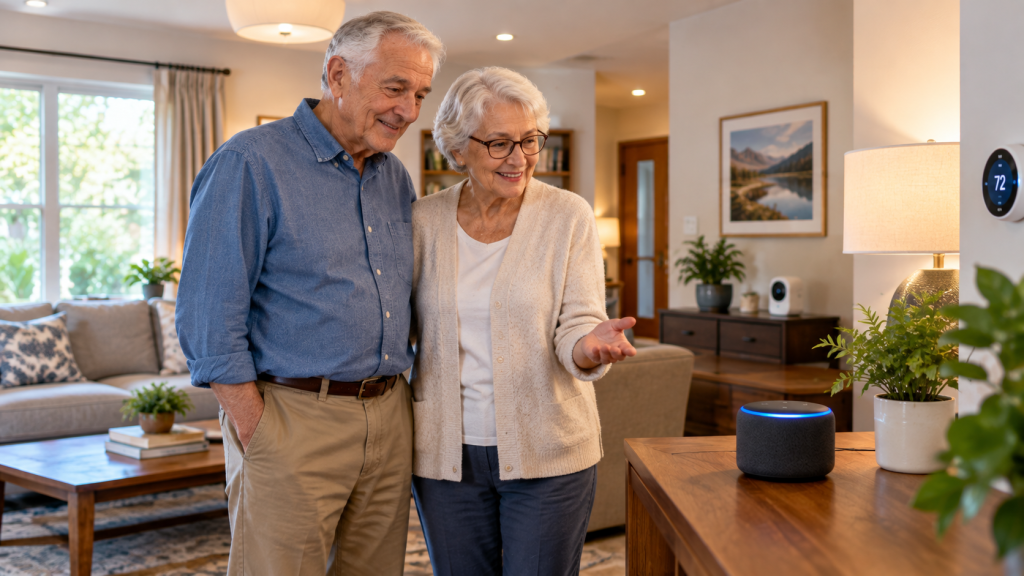
Alexa can make everyday technology much easier for older adults. Instead of searching through menus or typing on a small screen, seniors can simply speak a command. Alexa can answer questions, set reminders, play music, provide weather updates, and control compatible smart-home devices.
For many older adults, a Voice Assistant for Elderly users can be useful because it reduces the need to remember complicated steps. A simple voice command can complete many common tasks. This can be especially helpful for seniors who live alone, have limited mobility, or are not comfortable using smartphones and computers.
This Alexa Cheat Sheet for Seniors focuses on practical commands that are easy to remember. You do not need to learn dozens of commands at once. Starting with a few useful commands can help seniors become comfortable with Alexa.
In this guide, you will learn 11 smart tips for using Alexa in everyday life. These tips cover reminders, weather, entertainment, smart lights, communication, routines, shopping lists, and other helpful features.
The goal is simple: make Alexa easier to understand and easier to use. Whether you are setting up Alexa for yourself, a parent, grandparent, or another older family member, these ideas can provide a simple starting point.
What Is Alexa and How Does It Help Seniors?
Alexa is Amazon’s voice assistant. It is designed to respond to spoken commands and questions. Alexa is available through compatible Amazon Echo devices and other supported products.
Instead of opening an app or pressing several buttons, a user can say the wake word, followed by a request. Alexa then processes the request and responds when the requested feature is available.
For example, a senior might say, “Alexa, what time is it?” Alexa can provide the current time without requiring the person to look at a clock or phone.
Amazon Echo devices are the hardware that can provide access to Alexa. Different Echo products can offer different features, such as speakers, displays, or smart-home controls. The exact features available can vary by device, settings, location, and compatible services.
The biggest advantage for many seniors is hands-free control. A person can ask Alexa for information without holding a phone or navigating a touchscreen. This can make simple daily tasks feel less complicated.
Alexa can also become a familiar household helper. Seniors can use the same basic commands every day instead of learning a completely new process for every task. Over time, a small collection of useful commands can become part of a normal daily routine.
However, Alexa should be viewed as a convenience tool rather than a replacement for family members, caregivers, doctors, or emergency services. It can assist with many everyday tasks, but it cannot handle every situation.
Why Use a Voice Assistant for Elderly Family Members?
A Voice Assistant for Elderly users can provide practical help with many small activities. The benefit is not about using every available feature. It is about choosing the features that actually make daily life easier.
For family members, Alexa can also provide another way to support an older adult. A simple setup with a few carefully selected features may be more useful than a complicated smart-home system.
Hands-Free Help at Home
One of the most useful benefits of Alexa is hands-free control. Seniors can use their voice to perform certain tasks without reaching for a phone, tablet, or remote control.
For example, compatible smart lights can be controlled by voice. Timers can also be started without touching a device. Alexa can provide information such as the weather or time through a simple spoken request.
This can be particularly convenient when a person’s hands are occupied or when reaching a physical switch is difficult.
The best approach is to begin with a few tasks that happen regularly. A senior might start with a bedroom light, a kitchen timer, and weather updates. Once those commands become familiar, additional features can be added if needed.
Less Dependence on Screens
Many digital tasks require tapping small buttons, reading menus, typing information, or remembering where a particular setting is located. Voice commands can reduce some of these steps.
A senior does not always need to open a phone and search for an application just to perform a simple task. Instead, they can ask Alexa directly when the requested feature is supported.
For example, asking for the weather can be much simpler than opening a weather application, finding the correct location, and reading the forecast.
This does not mean screens are unnecessary. Phones, tablets, and computers remain important tools. Alexa simply provides another option for everyday tasks.
Staying Connected With Family
Alexa can also support communication through compatible calling and communication features. Depending on the device, account setup, contacts, and settings, seniors may be able to use voice commands to communicate with approved contacts.
This can be useful for older adults who find typing difficult or who prefer speaking instead of using a touchscreen.
Families should set up communication features carefully. Only appropriate contacts should be added, and everyone should understand how the communication features work before using them regularly.
The goal is to make staying connected easier while still respecting the senior’s privacy and independence.
Helpful Daily Reminders
Remembering everyday tasks can become easier when reminders are part of a regular routine. Alexa can be used for reminders about appointments, activities, calls, shopping, and other tasks.
For example, a senior could ask Alexa to remind them about an appointment the next morning. They could also create reminders for regular activities throughout the day.
Reminders should be treated as helpful prompts, not as a substitute for professional medical advice or a formal care plan.

Alexa Cheat Sheet for Seniors: 11 Smart Tips
Now let’s look at practical ways seniors can use Alexa. These Alexa Commands for Seniors are designed around common everyday needs.
The best strategy is to learn a few commands first. Once those commands feel comfortable, seniors can gradually add more.
1. Start With Simple Alexa Commands
The easiest way to learn Alexa is to begin with simple requests. Seniors do not need to memorize complicated phrases. Natural, short commands are often the best starting point.
Try these basic commands:
“ Alexa, what time is it?”
“Alexa, what’s the weather?”
“Alexa, set a timer for 10 minutes.”
“Alexa, set an alarm for 7 AM.”
“Alexa, play some music.”
These simple Alexa Commands for Seniors can introduce the most useful functions without overwhelming a beginner.
Start by choosing three to five commands that are relevant to everyday life. For example, someone who cooks frequently may want to learn timer commands first. Someone who enjoys music may start with music commands.
It can also help to keep a printed Alexa Cheat Sheet for Seniors near the Echo device. This gives the user something to look at when they forget a command.
The purpose is not to memorize everything. It is to make the most useful commands familiar through regular practice.
2. Use Alexa Commands for Seniors for Daily Reminders
Reminders are one of the most practical Alexa features for everyday routines. Seniors can use voice commands to create reminders for appointments, phone calls, household tasks, shopping, and other activities.
For example, a senior could say:
“Alexa, remind me to call my daughter at 5 PM.”
“Alexa, remind me about my appointment tomorrow.”
“Alexa, remind me to take my keys when I leave.”
“Alexa, remind me to check the oven in 10 minutes.”
The exact reminder options available can depend on the Alexa setup and current Amazon features.
The important idea is to use reminders for tasks that are easy to forget during a busy day. Instead of writing every small task on a piece of paper, some tasks can be turned into voice-created reminders.
Family members can help set up recurring routines when appropriate. However, reminders should complement—not replace—medical instructions, medication management systems, or professional caregiving when those are needed.
3. Ask Alexa About Weather and Everyday Information
Alexa can provide quick answers to many everyday questions. Weather information is especially useful because seniors can ask about conditions without opening an app or checking a website.
Try commands such as:
“Alexa, will it rain today?”
“Alexa, what’s the temperature?”
“Alexa, what’s the forecast for tomorrow?”
“Alexa, what day is it?”
Weather information can help someone decide what clothing to wear or whether outdoor plans may need to change.
Alexa can also answer certain general questions and provide information through supported services. This makes it useful for quick, simple requests.
However, users should not assume that every answer is perfect or suitable for an important decision. For health, safety, financial, or emergency questions, seniors should rely on appropriate professional or official sources.
4. Use Alexa for Music, Radio, and Entertainment
Entertainment is another simple way to make Alexa useful. Seniors can ask Alexa to play music, radio stations, podcasts, or other supported audio content.
Music can also become part of a daily routine. Someone might listen to familiar songs in the morning, enjoy radio during lunch, or listen to relaxing audio in the evening.
Useful commands may include:
“Alexa, play some music.”
“Alexa, play my playlist.”
“Alexa, play the radio.”
“Alexa, turn up the volume.”
“Alexa, stop.”
The exact music and audio options depend on the user’s subscriptions, connected services, device, and location.
One advantage of voice control is that the senior does not have to search through menus. They can simply ask for the type of entertainment they want.
For beginners, it is best to start with familiar content. Once a senior becomes comfortable with basic music commands, they can explore additional audio features.

5. Control Smart Lights With Your Voice
Voice-controlled lighting can be one of the most convenient smart-home features for seniors. When compatible smart bulbs or switches are properly installed and connected, Alexa can allow users to control them with voice commands.
For example:
“Alexa, turn on the bedroom light.”
“Alexa, turn off the living room light.”
“Alexa, turn on the kitchen light.”
“Alexa, turn off the bedroom light.”
This can be particularly helpful for seniors who have difficulty reaching a wall switch or moving around the home to control different lights.
You do not need to turn the entire house into a smart home. Starting with one smart light in an important location can be a much simpler approach.
A bedroom light may be useful because the user can control it without getting out of bed. A kitchen light may be useful for someone who spends a lot of time preparing meals.
When setting up smart lights, use simple names that are easy to remember. For example, names such as “bedroom light” or “kitchen light” are usually easier to understand than complicated device names.
It is also important to test the setup after installation. Make sure the light responds correctly to the intended command and that the senior knows the exact phrase to use.
Smart-home technology should make life simpler, not create another complicated system to manage. Start small, use clear names, and add more devices only when they provide a real benefit.
6. Use Alexa for Timers, Alarms, and Routines
Timers and alarms are some of the easiest Alexa features for seniors to use. They can help organize everyday activities without requiring a phone, clock, or written note.
For example, Alexa can set a cooking timer while a senior is preparing a meal. There is no need to stop cooking and look at a screen. Simply ask Alexa to start the timer.
Useful commands include:
“Alexa, set a timer for 15 minutes.”
“Alexa, set an alarm for 7 AM.”
“Alexa, cancel my timer.”
“Alexa, what timers are running?”
Morning alarms can also become part of a daily routine. A senior can use Alexa to wake up at a regular time and then continue with other planned activities.
Alexa routines can combine several supported actions into one command. For example, a morning routine could provide the weather, play the news, and start music. A bedtime routine could turn off compatible smart lights and perform other selected actions.
Keep routines simple at first. Too many actions can make the system confusing for a beginner. Choose only the tasks that genuinely make the daily schedule easier.
7. Make Family Communication Easier
Staying connected with family can be especially important for older adults. Alexa-compatible communication features can provide another convenient way to communicate with family members.
Depending on the device, account settings, contacts, and available features, Alexa may support calling, messaging, or other communication options.
For a senior who does not enjoy typing on a smartphone, voice-based communication can be easier. Instead of opening an app and searching for a contact, the user may be able to use a supported voice command.
Family members can help with the initial setup. Add only trusted contacts and make sure the senior understands how the communication features work.
Communication features can be useful for staying connected with children, grandchildren, caregivers, and other trusted people. They should still be configured with privacy and personal boundaries in mind.
The goal is not to replace normal family contact. Instead, Alexa can provide another simple way for an older adult to reach out when appropriate.
8. Explore Alexa Together for Extra Support
Alexa Together was designed to provide features that can help family members stay connected with an older adult. It is associated with Alexa and compatible Echo devices, although available features and services can change over time.
Families considering Alexa Together should first understand which features are currently available and whether they fit the senior’s needs.
One important benefit is the ability to provide additional support while allowing the older adult to remain independent. Family members may be able to receive certain information or use support features depending on the current service configuration.
However, technology should never become a reason to remove a senior’s independence. Older adults should understand what information is being shared and who can access it.
Privacy is especially important when setting up technology for another person. Discuss the settings with the senior and choose features together whenever possible.
Alexa Together should be viewed as a support tool. It should not replace appropriate family involvement, professional caregiving, medical care, or emergency services.
9. Use Alexa for Shopping Lists
Shopping lists are another simple way to use Alexa throughout the week. Instead of searching for a piece of paper or opening a notes application, a senior can add an item using a voice command.
For example:
“Alexa, add milk to my shopping list.”
Other household items can be added in the same way. A senior might add bread, vegetables, cleaning supplies, or other products as they remember them.
This can be especially useful when someone notices that an item is running low. The item can be added immediately instead of relying on memory.
Family members can also help review the list when appropriate. Depending on the current Alexa features and account setup, the shopping list may be accessible through supported devices or the Alexa app.
The important part is keeping the process simple. Seniors do not need to learn complicated list-management features. Adding items by voice is often enough to make the shopping routine more organized.
10. Ask Alexa for Simple Answers
Alexa can also help with quick everyday questions. This is one of the easiest ways for beginners to become comfortable with a voice assistant.
A senior may ask Alexa about measurements, definitions, calculations, general facts, or other simple information.
For example, users can ask questions such as:
“Alexa, how many cups are in a gallon?”
“Alexa, what does this word mean?”
“Alexa, what is 25 plus 17?”
“Alexa, what time is it in London?”
“Alexa, what day is today?”
These types of questions can save time when the information is simple and readily available.
However, Alexa should not automatically be treated as an authority for important decisions. Information related to health, medications, emergencies, finances, or other important matters should be confirmed through reliable and appropriate sources.
For everyday questions, though, Alexa can be a convenient hands-free information assistant.
11. Create a Simple Alexa Routine
Routines can make Alexa even more useful because they allow several supported actions to happen from one trigger or command.
For seniors, the key is simplicity. A routine should make life easier rather than create another complicated system to remember.
A morning routine might provide the weather and play familiar music. An evening routine could provide information and control compatible smart-home devices.
Other useful routines may include:
Morning routine
Evening routine
Leaving-home routine
Bedtime routine
For example, a senior could have a simple bedtime routine that turns off compatible lights and performs other selected actions.
Start with one routine. Test it several times before adding more actions. If the routine becomes confusing, remove unnecessary steps.
The best Alexa Cheat Sheet for Seniors does not need to include every possible Alexa feature. It should focus on the commands and routines that are actually useful to the person using them.
Printable Alexa Cheat Sheet for Seniors
A printable cheat sheet can make learning Alexa easier. Seniors do not have to memorize every command. Instead, they can keep a short list near their Echo device.
The following examples cover some of the most useful beginner commands.
Basic Alexa Commands
| Purpose | Example Command |
| Time | “Alexa, what time is it?” |
| Weather | “Alexa, what’s the weather?” |
| Timer | “Alexa, set a timer for 10 minutes.” |
| Alarm | “Alexa, set an alarm for 7 AM.” |
| Music | “Alexa, play some music.” |
| Volume | “Alexa, turn up the volume.” |
These commands provide a simple starting point. Once a senior becomes comfortable with them, more commands can be added.
Alexa Commands for Seniors for Home
Smart-home commands can help control compatible devices around the house.
Examples include:
“Alexa, turn on the bedroom light.”
“Alexa, turn off the kitchen light.”
“Alexa, turn on the living room light.”
“Alexa, set the thermostat to 70 degrees.”
The exact commands depend on the compatible devices connected to Alexa. A smart-home setup should remain simple, especially for beginners.
Alexa Commands for Seniors for Family Communication
Communication commands can help seniors stay connected with approved contacts.
Depending on the available Alexa features, users may be able to make calls or send messages using compatible services.
Families should review contacts and communication settings together. This helps prevent confusion and gives the senior more control over their privacy.
How to Set Up Alexa for a Senior Beginner
Setting up Alexa does not need to be complicated. In fact, a simple setup is often better for someone who is learning voice technology for the first time.
Choose One Alexa Device First
Start with one compatible Alexa device in one important room.
Avoid installing multiple devices throughout the home immediately. Too many devices can make the setup harder to understand.
Place the device somewhere that is easy to hear and where the user normally spends time. A bedroom, living room, or kitchen may be a practical starting location.
Make sure the microphone is not blocked by furniture or other objects.
Connect Alexa to Wi-Fi
Alexa devices generally require an internet connection for many of their features.
The basic setup typically involves the Alexa app, an Amazon account, Wi-Fi access, and the compatible Echo device.
During setup, follow the current instructions provided for the specific Alexa device. Features and setup steps can change, so the instructions that come with the device should be used when available.
After setup, test a few basic commands before introducing additional features.
Set Up Useful Contacts and Preferences
If communication features will be used, set up appropriate contacts carefully.
You can also personalize supported preferences such as music services, location information, and other settings.
For a senior beginner, avoid changing too many settings at once. The purpose of personalization is to make Alexa easier to use.
Choose features based on the person’s actual daily routine rather than adding features simply because they are available.

Practice Five Commands First
Learning five useful commands is often better than trying to memorize 50 commands.
Start with commands for:
Time
Weather
Timer
Music
Reminders
Once these commands become familiar, gradually introduce smart-home controls, communication, shopping lists, and routines.
Best Alexa Features for Seniors Living Alone
Alexa can provide useful convenience for seniors who live alone. It can help with small daily tasks while reducing the need to interact with a screen for every request.
Useful features include:
Reminders
Timers
Weather updates
Music and radio
Smart lights
Family communication
Shopping lists
Routines
The right combination depends on the senior’s preferences and abilities.
How Alexa Can Support Independent Living
Alexa can support independent living by making certain everyday tasks easier.
A senior can ask for the weather without checking a phone. They can set a timer without touching a device. They can create a reminder when they remember an important task.
Voice-controlled smart-home devices may also reduce the need to physically reach switches or controls.
Most importantly, Alexa can help maintain a familiar routine. Simple technology can sometimes be more useful than a complicated setup with dozens of features.
Important: Alexa is a convenience and communication tool. It should not be treated as a replacement for emergency services, medical professionals, or appropriate caregiving Alexa Cheat Sheet for Seniors .
Voice Assistant for Elderly Users With Limited Mobility
A Voice Assistant for Elderly users with limited mobility can provide hands-free access to supported features.
Instead of physically reaching for a switch, remote, or phone, users may be able to control compatible devices through voice commands.
Useful features can include:
Hands-free controls
Voice-controlled lights
Timers and reminders
Communication
Compatible smart-home controls
Audio entertainment
Device placement also matters. Put the Alexa device in a location where the senior can hear its responses clearly.
Volume should be comfortable without being unnecessarily loud. If the user has difficulty hearing Alexa, consider the device location and surrounding background noise Alexa Cheat Sheet for Seniors.
Keep Commands Short and Easy
Seniors do not need complicated language to use Alexa. Start with natural, short commands.
Practice frequently used commands until they become familiar. If a task happens every day, consider creating a simple routine for it.
A printed cheat sheet can also help. Place it somewhere visible and easy to read.
The goal is confidence. Technology should feel like a helpful tool rather than another difficult task.
Alexa Cheat Sheet for Seniors: Common Problems and Easy Fixes
Even simple technology can sometimes cause problems. Most beginner issues can be addressed with a few basic checks.
Alexa Does Not Hear You
If Alexa does not respond, try moving closer to the device. Speak clearly and at a normal volume.
Also check whether the microphone has been muted. Background noise from televisions, fans, or other appliances can sometimes make voice recognition more difficult.
Alexa Gives the Wrong Answer
Try repeating the command using shorter and clearer wording.
If the problem continues, check the device’s internet connection. Some Alexa features depend on an active connection.
It can also help to use the exact command format that has worked successfully before.
Alexa Is Too Loud or Too Quiet
Adjust the device volume to a comfortable level.
If the device is placed near a television or another noisy area, moving it to a quieter location may also make Alexa easier to understand.
The best location is usually somewhere the senior spends time and where the device can hear the person’s voice clearly.
Seniors Forget Alexa Commands
Forgetting commands is normal when someone is learning a new technology.
Keep the Alexa Cheat Sheet for Seniors near the device. Start with only a few commands and practice those regularly.
There is no need to learn everything at once. Add new commands gradually as the user becomes comfortable.
Alexa Privacy and Safety Tips for Seniors
Privacy should be considered whenever a voice assistant is introduced into a home.
Seniors and family members should understand what Alexa can do, what information is shared, and which communication or smart-home features are enabled Alexa Cheat Sheet for Seniors.
Here are several practical considerations:
Review privacy settings.
Be careful with voice purchasing.
Use appropriate purchase controls.
Review connected contacts.
Understand communication features.
Check which smart-home devices are connected.
Never rely on Alexa as an emergency-response replacement.
Voice assistants can be useful, but convenience should not come at the expense of privacy.
How to Make Alexa Safer for an Older Parent
When setting up Alexa for an older parent, begin with the features they actually need.
Disable or avoid unnecessary features if they create confusion. Review purchasing settings and connected contacts carefully.
It is also helpful to explain the important privacy settings in simple language. The senior should understand how the device is being used and which family members have access to supported features.
If family members are helping remotely, communication should remain clear. Technology works best when the older adult remains involved in decisions about their own device.
Alexa vs Other Voice Assistants for Seniors
Alexa is not the only voice assistant available. Google and Apple also offer voice-assistant options through their ecosystems.
The best choice depends on the devices the senior already uses and which features are most important to them.
Alexa
Alexa works with Amazon Echo devices and a broad range of compatible smart-home products.
It can be a strong option for people who want voice-controlled smart-home features, reminders, entertainment, and other everyday functions.
Google Assistant
Google’s voice-assistant features can be useful for people who already use Google services and Android devices.
Its integration with Google’s ecosystem may make it convenient for users who already depend on Google products Alexa Cheat Sheet for Seniors .
Siri Alexa Cheat Sheet for Seniors
Siri is Apple’s voice assistant and can be particularly convenient for people who already use iPhone, iPad, Apple Watch, or other Apple devices.
The advantage comes from staying within an ecosystem the user already understands.
The best voice assistant for a senior is not necessarily the one with the most features. It is the one that fits their devices, comfort level, daily routine, and support needs.
For many beginners, starting with a few useful voice commands is more valuable than learning every feature available.
Frequently Asked Questions About Alexa Cheat Sheet for Seniors
Is Alexa Easy for Seniors to Use?
Yes, Alexa can be easy for many seniors to use, especially when they start with a few simple commands. Users can speak instead of typing or navigating small touchscreen buttons.
The easiest approach is to begin with basic tasks such as checking the weather, setting timers, playing music, and creating reminders. A printed Alexa Cheat Sheet for Seniors can also help users remember commonly used commands.
What Are the Best Alexa Commands for Seniors?
Some of the most useful Alexa Commands for Seniors are simple commands for everyday activities.
Examples include asking for the time or weather, setting alarms and timers, creating reminders, playing music, adjusting volume, and controlling compatible smart lights.
The best commands depend on the senior’s daily routine. Start with the commands they are most likely to use regularly.
Can Alexa Remind Seniors About Appointments?
Alexa can be used to create reminders for appointments and other scheduled activities through supported reminder features.
For example, a user can ask Alexa to create a reminder for an upcoming appointment. Reminders can also be useful for phone calls, household tasks, shopping, and daily routines Alexa Cheat Sheet for Seniors.
However, Alexa reminders should not be considered a replacement for professional medical advice or a formal medication or healthcare management system.
Can Alexa Help Seniors Living Alone?
Alexa can provide useful everyday assistance for seniors who live alone. It can help with reminders, timers, weather information, entertainment, shopping lists, communication, and compatible smart-home controls.
Voice commands can also reduce the need to reach for a phone or operate a touchscreen for simple tasks.
Alexa can support independence, but it should not be considered a complete caregiving or emergency system. Seniors living alone may still need appropriate family, professional, or emergency support.
Can Alexa Call Family Members?
Depending on the device, account, contacts, location, and currently supported features, Alexa can provide communication options that may include calling or messaging compatible contacts.
Family members can help set up trusted contacts and explain how the communication features work.
Before using these features regularly, review the available privacy and communication settings so the senior understands who can be contacted and how the feature works.
What Is Alexa Together?
Alexa Together was introduced as a way to help families support older adults while maintaining connection and independence.
Depending on the current service and supported features, it can provide tools intended to help family members stay connected with an older adult.
Families should check the current availability and features before relying on the service. Privacy and consent are also important when setting up technology for another person.
Alexa Together should complement family involvement and appropriate care. It should not replace professional caregiving, medical care, or emergency services.
Is Alexa a Good Voice Assistant for Elderly People?
Alexa can be a useful Voice Assistant for Elderly people who want simple, hands-free access to everyday tasks.
It can be especially helpful for users who prefer speaking instead of typing. Seniors can ask questions, set reminders, play audio, manage timers, and control compatible smart-home devices.
The experience becomes easier when the setup is kept simple. Too many connected devices or complicated routines can make Alexa harder for a beginner to understand.
Can Alexa Control Lights and Other Smart-Home Devices?
Yes, Alexa can control many compatible smart-home devices when they are properly connected and configured.
Depending on the device, users may be able to control smart lights, plugs, thermostats, and other compatible products using voice commands.
For example, a senior might say, “Alexa, turn on the bedroom light.”
Compatibility varies between products, so check whether a specific smart-home device supports Alexa before purchasing or setting it up Alexa Cheat Sheet for Seniors.
Can Alexa Replace Emergency Services?
No. Alexa should not be treated as a replacement for emergency services.
A voice assistant can provide everyday convenience and support certain communication features, but it should not be the only safety system in a senior’s home.
For emergencies, seniors should have an appropriate way to contact local emergency services and should follow their family’s or care team’s established safety plan.
What Is the Easiest Alexa Device for a Senior Beginner Alexa Cheat Sheet for Seniors?
There is no single Alexa device that is best for every senior. The right choice depends on the person’s hearing, vision, mobility, room size, and preferred features.
A simple Echo speaker can be a practical starting point for someone who mainly wants voice commands, reminders, music, and information.
An Echo device with a display may be useful for someone who benefits from seeing information on a screen Alexa Cheat Sheet for Seniors .
For beginners, the most important factor is not having the most advanced device. It is choosing a device that is easy to hear, easy to access, and simple enough for the senior’s daily needs.
Conclusion: Make Alexa Simple With the Right Cheat Sheet
Alexa does not need to be complicated. With the right setup and a small collection of useful commands, it can become a practical everyday helper for many older adults.
This Alexa Cheat Sheet for Seniors covered 11 smart ways to use Alexa, including simple voice commands, reminders, weather information, music, timers, alarms, family communication, Alexa Together, shopping lists, everyday questions, routines, and smart-home controls.
The best way to get started is to keep things simple. Begin with basic commands that solve real problems in the senior’s daily routine. Once those commands become familiar, add other features gradually.
For seniors living alone, Alexa can provide convenient hands-free assistance and help support regular routines. Smart-home features can also make certain tasks easier when compatible devices are installed correctly Alexa Cheat Sheet for Seniors .
Family members can play an important role during setup. They can help configure useful contacts, reminders, smart-home devices, and privacy settings. At the same time, the senior should remain involved in decisions about how their device is used Alexa Cheat Sheet for Seniors .
Remember that Alexa is a helpful technology tool, not a replacement for people. It cannot replace emergency services, professional caregivers, doctors, or appropriate family support.
If you want to learn more about technology for older adults, continue exploring related senior technology guides. The right tools, simple instructions, and a little practice can make modern technology much less intimidating Alexa Cheat Sheet for Seniors .
Suggested Internal Links
Alexa for Seniors: Complete Beginner’s Guide
A beginner-friendly guide covering Alexa basics, setup, useful features, and everyday uses for older adults.
How to Set Medication Reminders on Alexa for Seniors
A focused guide explaining how reminders can be used as part of a senior’s daily routine, along with important limitations.
Alexa for Seniors With Limited Mobility
Explore practical hands-free uses of Alexa for seniors who may find certain physical tasks more difficult.
Alexa Drop In for Elderly Parents
Learn about Alexa communication features, setup considerations, privacy, and appropriate family use.
What Alexa Cannot Do for Seniors
Understand the important limitations of Alexa and why a voice assistant should not replace emergency or professional support.
Best Smart Home Devices for Seniors Living Alone
Explore simple smart-home options that can complement Alexa and make everyday household tasks more convenient.
Technology for Seniors Made Easy
A broader guide to making everyday technology easier for older adults, including practical tips for learning and using digital devices.

Welcome to USA Senior Citizen, a trusted resource dedicated to helping older adults live healthier, happier, and more independent lives.
Our mission is to provide valuable information, practical tips, and helpful guidance for seniors and their families. We cover important topics including **senior health, retirement planning, senior living, caregiving, technology for seniors, and everyday lifestyle solutions**.
At USA Senior Citizen, we believe aging is not about slowing down — it is about embracing new opportunities, staying connected, and enjoying every stage of life. Our goal is to make life easier for seniors by sharing simple, reliable, and easy-to-understand information that supports better decisions and improved well-being.
Whether you are looking for advice on maintaining a healthy lifestyle, exploring retirement options, learning new technology skills, or finding ways to stay active and independent, USA Senior Citizen is here to guide you.
We are committed to creating a supportive online community where seniors can discover useful resources, gain confidence, and continue living life with dignity and purpose.
USA Senior Citizen — Empowering Seniors to Live Better Every Day.